How to Read a URL Before You Open It
A practical way to find the real host in a link, spot misleading subdomains and user information, and handle shortened or unfamiliar URLs.
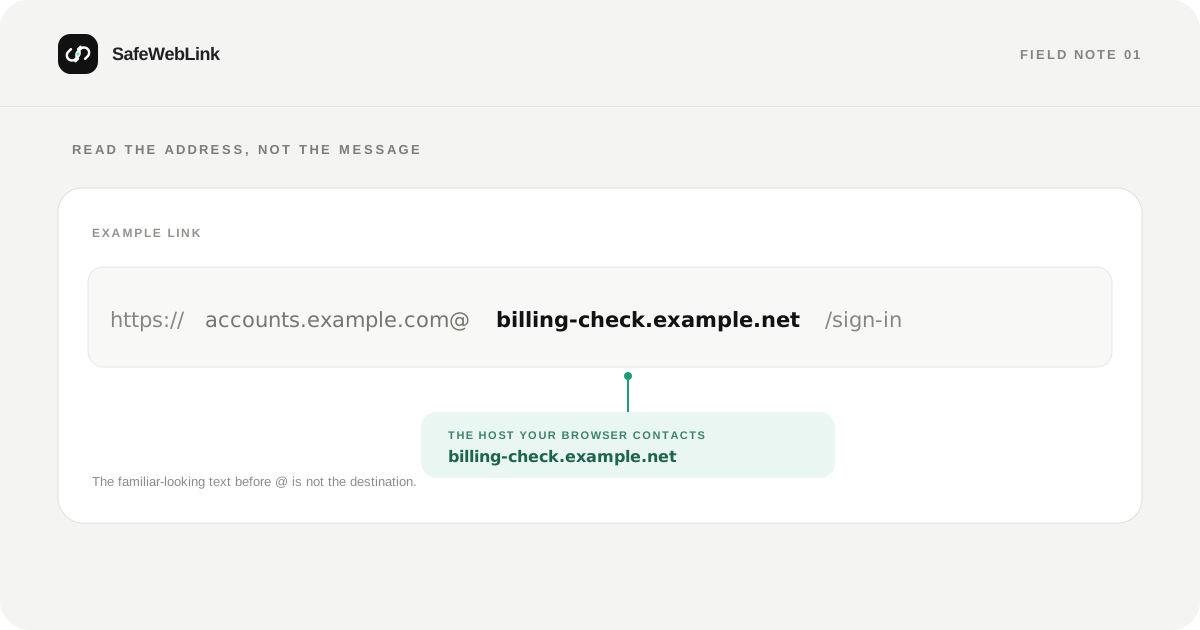
A link can look familiar at a glance and still send you somewhere else. The safest quick check is to stop reading it as a sentence and identify the host: the name of the server your browser is being asked to contact.
Find the host first
Consider this example:
https://accounts.example.com@billing-check.example.net/sign-in?continue=mail
Read it in pieces:
| Part | What it tells you |
|---|---|
https:// |
The URL scheme. It describes how the browser connects. |
accounts.example.com@ |
User information. It is not the destination host. |
billing-check.example.net |
The host the browser contacts. |
/sign-in |
A path on that host. |
?continue=mail |
A query parameter sent with the request. |
In a URL authority, an @ separates optional user information from the host. That makes a URL such as https://brand.example@other.example/ easy to misread: the host is other.example. The URI syntax standard, RFC 3986, defines this structure and specifically discusses misleading user information.
A second trick is to place a familiar name in front of a different registered domain:
accounts.example.com.sign-in.example.net
The full host is accounts.example.com.sign-in.example.net. The familiar-looking words are subdomains; they do not make the destination part of example.com. Read the host from right to left and identify the registrable domain using the public suffix rules. For real accounts, the simplest reliable check is usually to open the organization’s official app or a bookmark you saved earlier.
Treat the whole address as untrusted
Lookalike characters: Internationalized domain names allow non-ASCII characters. Some can resemble Latin letters, while their encoded DNS form may appear with the xn-- prefix. That prefix is not proof of an attack—many legitimate international domains use IDNs—but an unexpected lookalike deserves a closer check. The IDNA standards describe how Unicode labels and their ASCII-compatible forms are handled.
Short links and redirects: A short URL hides the final destination until a service expands it. If the message is unexpected, don’t follow it just to find out where it goes. Ask the sender through a separate, known channel or visit the service directly.
HTTPS: The https scheme protects the connection to the host the URL names. It does not confirm that the host belongs to the brand mentioned in a message. A convincing lookalike domain can also use HTTPS. CISA’s phishing guidance recommends verifying links and contacting an organization through a trusted route when a message looks suspicious.
Paths and query strings: Text after the first slash can be designed to look reassuring, but it doesn’t change the host. A long query string may also carry tracking or one-time login values. Avoid sharing a full link publicly if it might contain a private token.
A quick check you can use every time
- Pause when a message creates urgency or asks you to sign in, pay, or recover an account.
- Find the host before the first path slash. If there is an
@, look immediately to its right. - Compare the actual domain with a bookmark or the address you type yourself—not with the sender name or logo.
- Treat unfamiliar short links and lookalike spellings as unresolved until you verify them independently.
- If the link still feels uncertain, don’t enter credentials. Open the service another way.
SafeWebLink can provide another signal by examining the address before you open it. A scan is a useful pause point; the final decision should still be based on the actual destination and the context in which you received the link.
Want to inspect one now? Paste it into the SafeWebLink scanner.